- The Weekly Scoop w/ Chronos
- Posts
- #4 - Deliverability
#4 - Deliverability
Josh here, back with our fourth edition of ‘The Weekly Scoop w/ Chronos’.
Today, I wanna be talking about our ‘secret’ tactic to making more money with emails.

No it’s not building more flows, sending out more campaigns, or even running greater discounts.
It’s actually deliverability - where your emails are landing in the inbox of your subscribers.
With the million and one brands jostling for attention in your subscriber’s inbox, the difference between landing in primary vs promotions might be the difference between a successful vs sub-par campaign.
Common Misconceptions About Deliverability
A common misconception is that emails landing in the spam folder is NOT a successful delivery. On the contrary, it is - except it hit the wrong box. We only consider bounced emails as unsuccessful deliveries, as the email is returned to the sender, and did not ‘land in any box’.
Thus, do not be fooled by 99.9% successful deliveries - number might look sexy, but might not reflect the true picture.
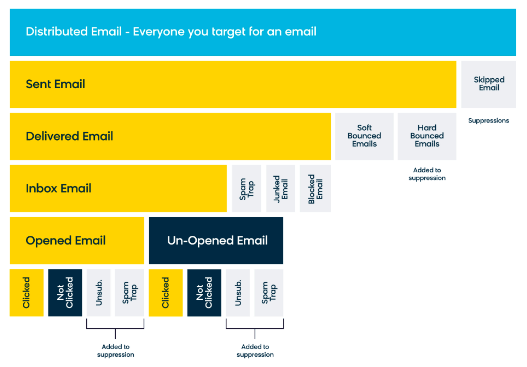
(example of who we suppress based on events)
Identifying Deliverability Issues (When Should You Start Taking a Deeper Look?)
You know that feeling you have when you ate something your stomach didn’t agree with (but don’t know what), and you’re mentally prepping for a war with your toilet?
Yeah, something like that - you know something is off, but you can’t really place your finger on it.
However, if you’re noticing consistent drops in open rates over a few weeks (40% >38% > 35%) or a sudden sharp dip from your usual open rates (40% > 20%), it might be time to take a second glance.
(don’t take one campaign as a sign though - it could be an anomaly)
Running Your Initial Checks
First, you want to head into ‘Advanced Reports’ in your campaign analytics.
Take a look at both ‘email domain’ and ‘email clients’ (this is to counter possible IOS 15 opens).
Would look something like the below:
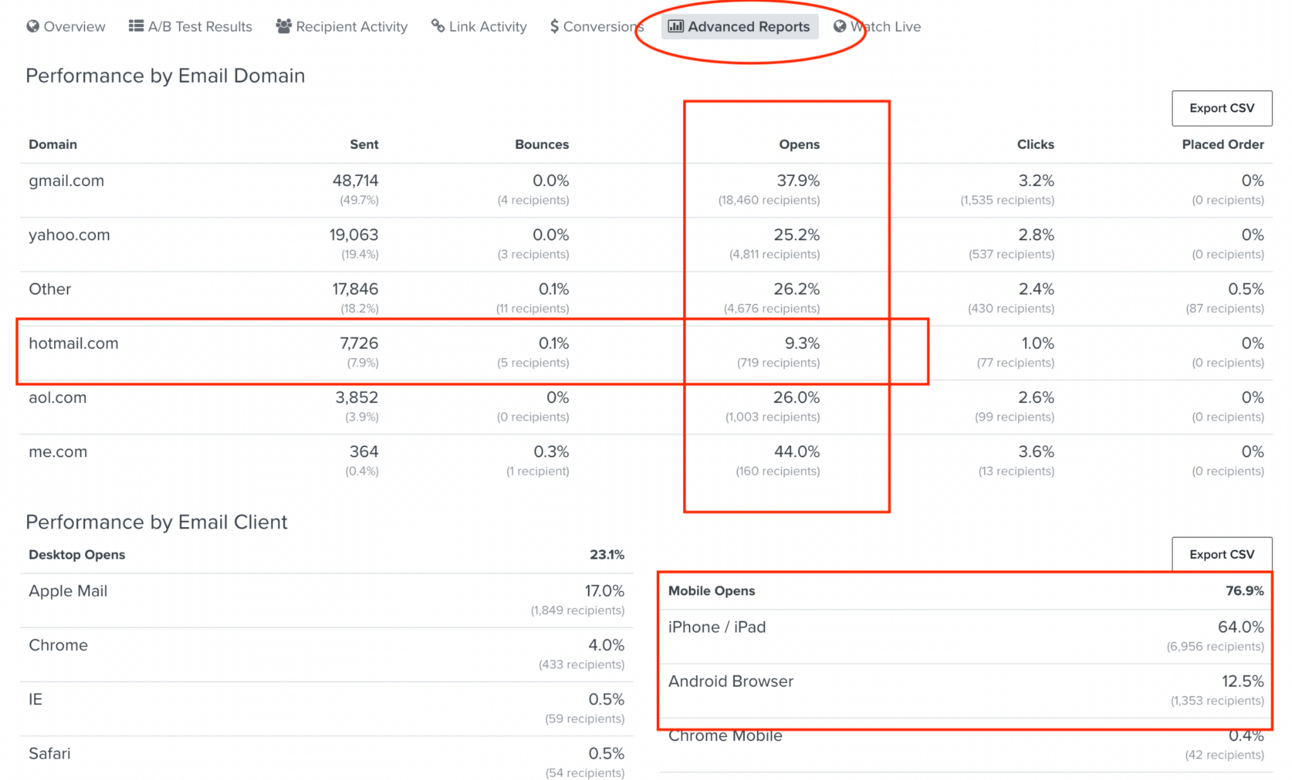
Note that Gmail, Hotmail & Outlook are more common with these issues. It’s surprisingly uncommon for Yahoo.
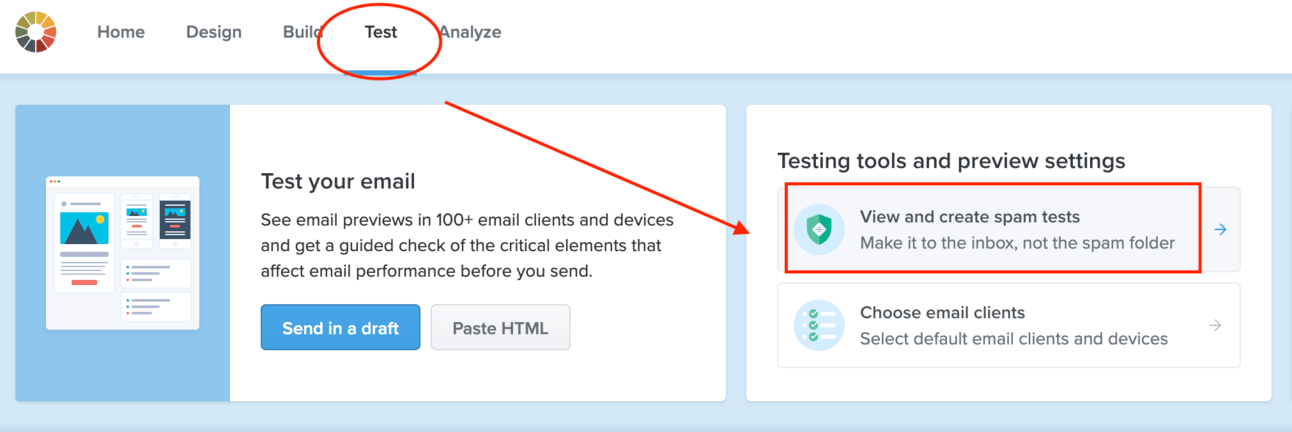
You also wanna run a litmus spam test.
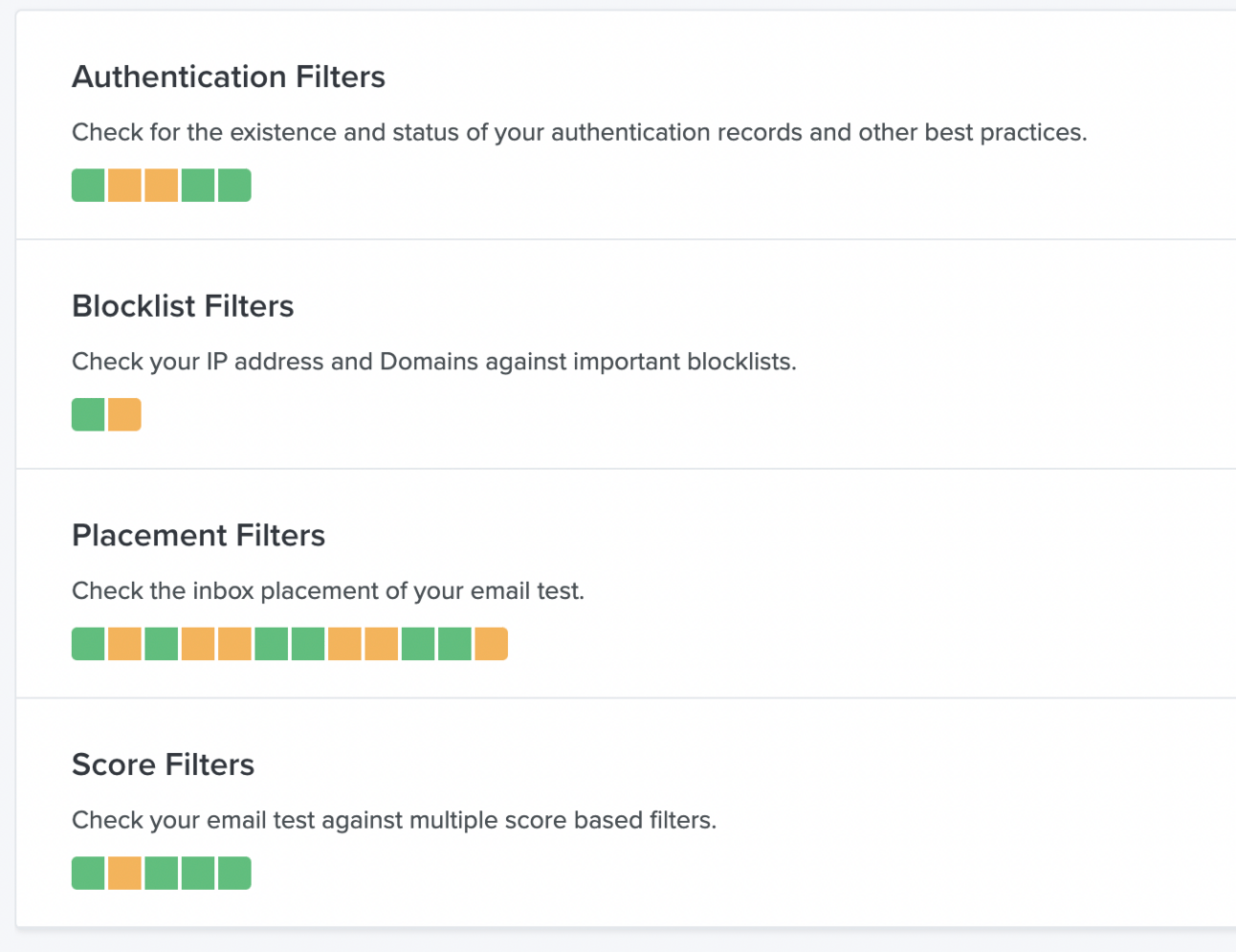
DMARC - usually the main offender
Blocklist Filter - tells us if your domain/IP is blocked on some servers
Placement Filters - tells us whether the email landed in spam
Score Filters - scores your email
Fixing What’s Broken
First let me open off with a disclaimer.
There’s no one size fits all solution - every account will have a ‘different fix’, depending on how bad the issue is, how early it was discovered, what your sending habits were, how many emails are being sent on a weekly basis.etc
There’ll be tons of trial and error, but it’s definitely something worth it in the end.
Splitting your spam group vs non-spam group
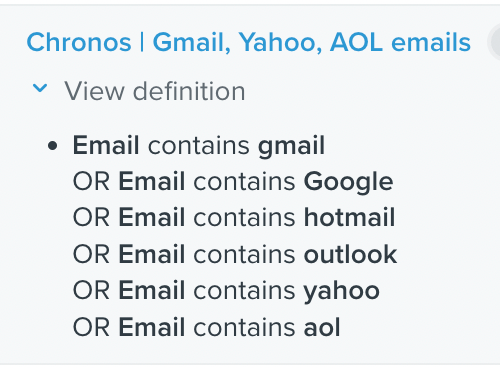
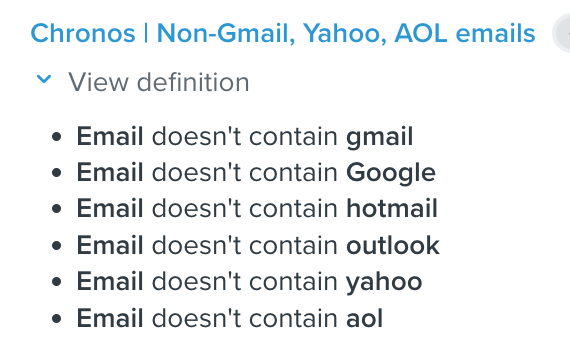
Running an A/B test of simple HTML vs text based email
Our theory here is that based on textbook guidelines, all the words/links/images might be causing our emails to be tagged as spam.
Thus, we hope to isolate those variables, start landing in primary, increase engagement rate to increase the domain’s reputation.
What You Should Be Looking Out For With These Fixes
1) Open rates - at least 25% and above/close to what you had previously
2) Click rates - maximizing this
3) Consistency - at least a batch/week’s worth of campaign with similar results
Once you’re confident things are improving, slowly increase your segment by 15 days, and check non-spam groups/if any other domains have issues.
What About IOS15?
Personally, I would not recommend excluding Apple Privacy users because they could be high engagers as well.
And that’s a wrap!
Honestly speaking, deliverability problems are one of the few things that give me nightmares. Not being able to isolate the problem… (haha, that is never fun)
But don’t fret! There’s always light at the end of the tunnel. If you’re facing any deliverability issues, feel free to write in with what you’ve tested.
Won’t be able to respond to everyone, but will try my best to chime in with my thoughts.
This was Joshua, signing off.

Joshua Foo